Why Getting Your Garage Door Opener Keypad Instructions Right Matters
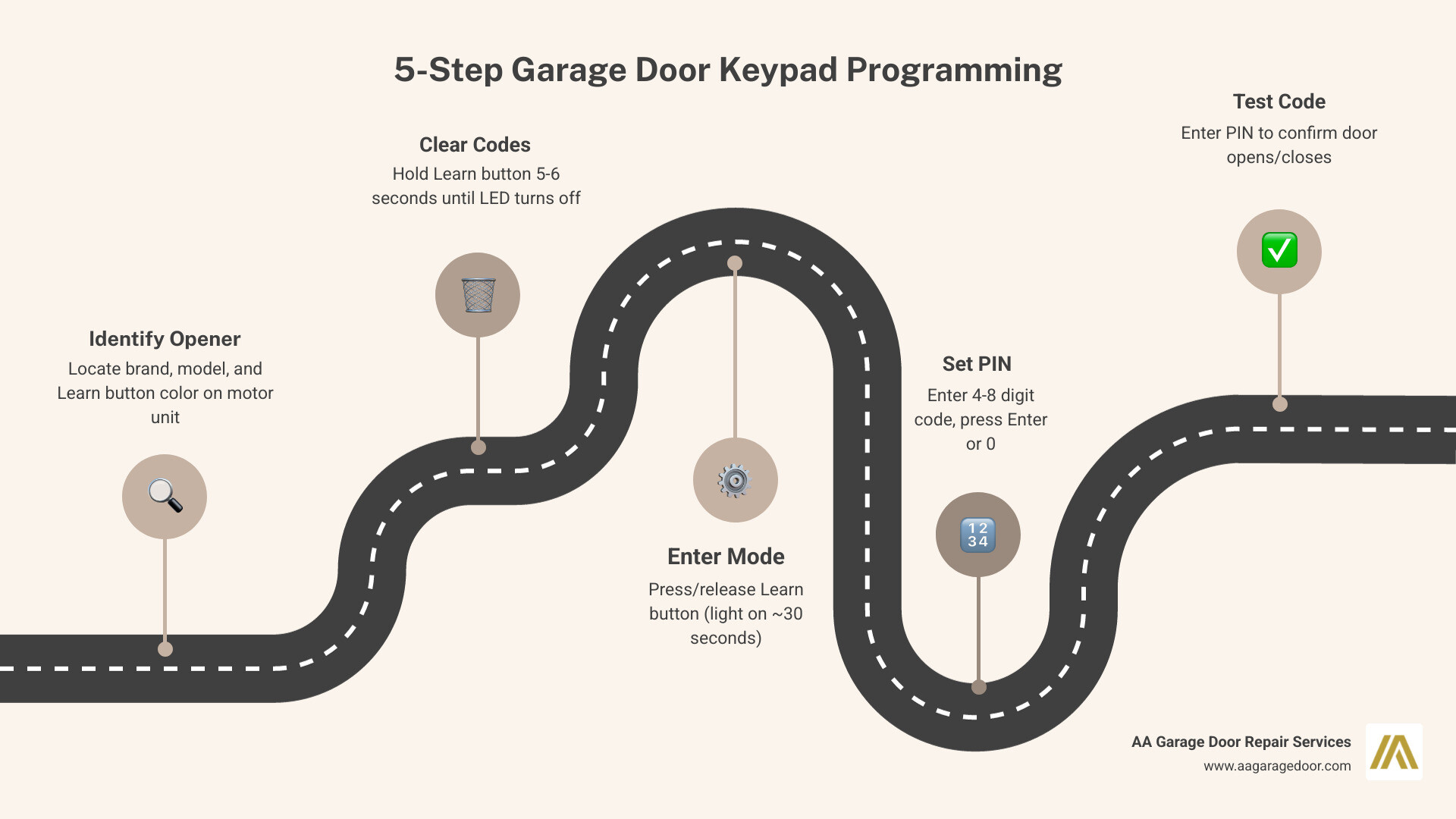
Garage door opener keypad instructions vary by brand and model, but the core process follows the same basic steps for most systems:
- Identify your opener – Locate the brand, model, and Learn button color on the motor unit
- Clear existing codes – Hold the Learn button for 5-6 seconds until the LED turns off
- Enter programming mode – Press and release the Learn button (light stays on ~30 seconds)
- Enter your PIN – Type your chosen 4-8 digit code on the keypad, then press Enter or 0
- Test the code – Enter your PIN to confirm the door opens and closes correctly
These steps apply to most major brands including LiftMaster, Chamberlain, Genie, and Overhead Door. Some brands have small variations – covered in detail below.
If your keypad isn’t responding or your code isn’t working, it usually comes down to one of three things: dead batteries, a missed programming step, or a timed-out Learn window. Our expert garage door repair in St. Paul team sees these issues constantly and they’re almost always fixable in minutes.
Programming a keypad sounds simple – and usually it is. But when the LED blinks unexpectedly, the door doesn’t respond, or you’re staring at an unfamiliar brand, it’s easy to get stuck. Whether you just moved into a new home, forgot your old PIN, or suspect your access code has been compromised, having clear and accurate instructions makes all the difference.
I’m David Sands, owner of AA Garage Door LLC with over 23 years of hands-on experience installing and programming garage door opener keypads across Wisconsin and Minnesota. In this guide, I’ll walk you through garage door opener keypad instructions for every major brand and model so you can get it done right the first time.
Important garage door opener keypad instructions terms:
- changing the garage door opener code
- how to reprogram garage door opener
- universal garage door opener codes
Essential Preparation and Safety for Garage Door Opener Keypad Instructions
Before you climb that ladder in your Baldwin or Woodbury garage, we need to talk about safety. A garage door is the largest moving object in your home, and programming involves activating the motor. Always ensure the door path is clear of children, pets, and vehicles.
Modern openers manufactured after 1993 are required to have photo-eye safety sensors. If your opener lacks these, it’s a significant safety risk and likely won’t work with modern wireless keypads anyway. For homeowners requiring professional garage door repair, upgrading to a compliant system is essential for home safety. Check that these sensors are aligned and the lenses are clean before you begin.
Identifying Your Opener Brand and Model
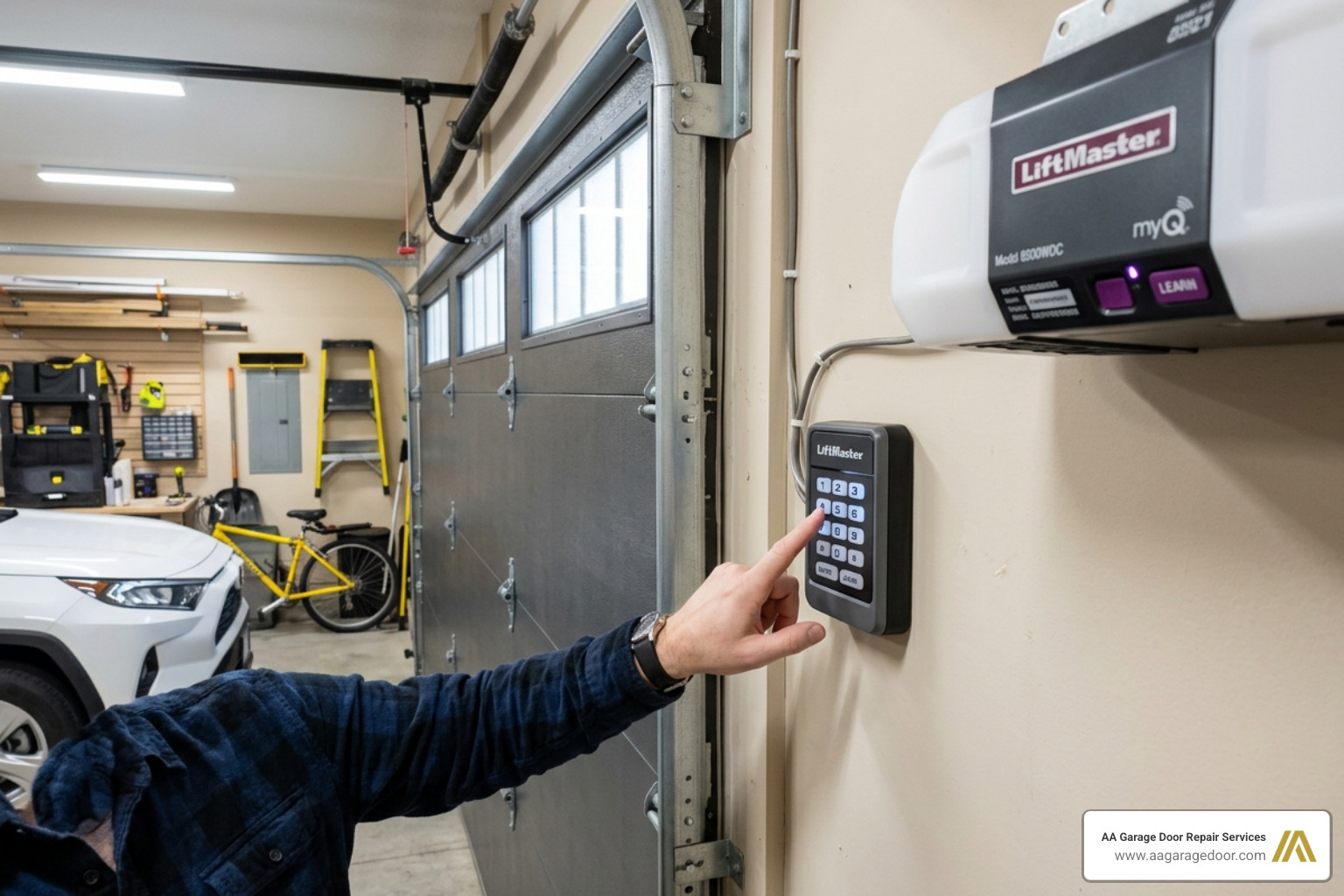
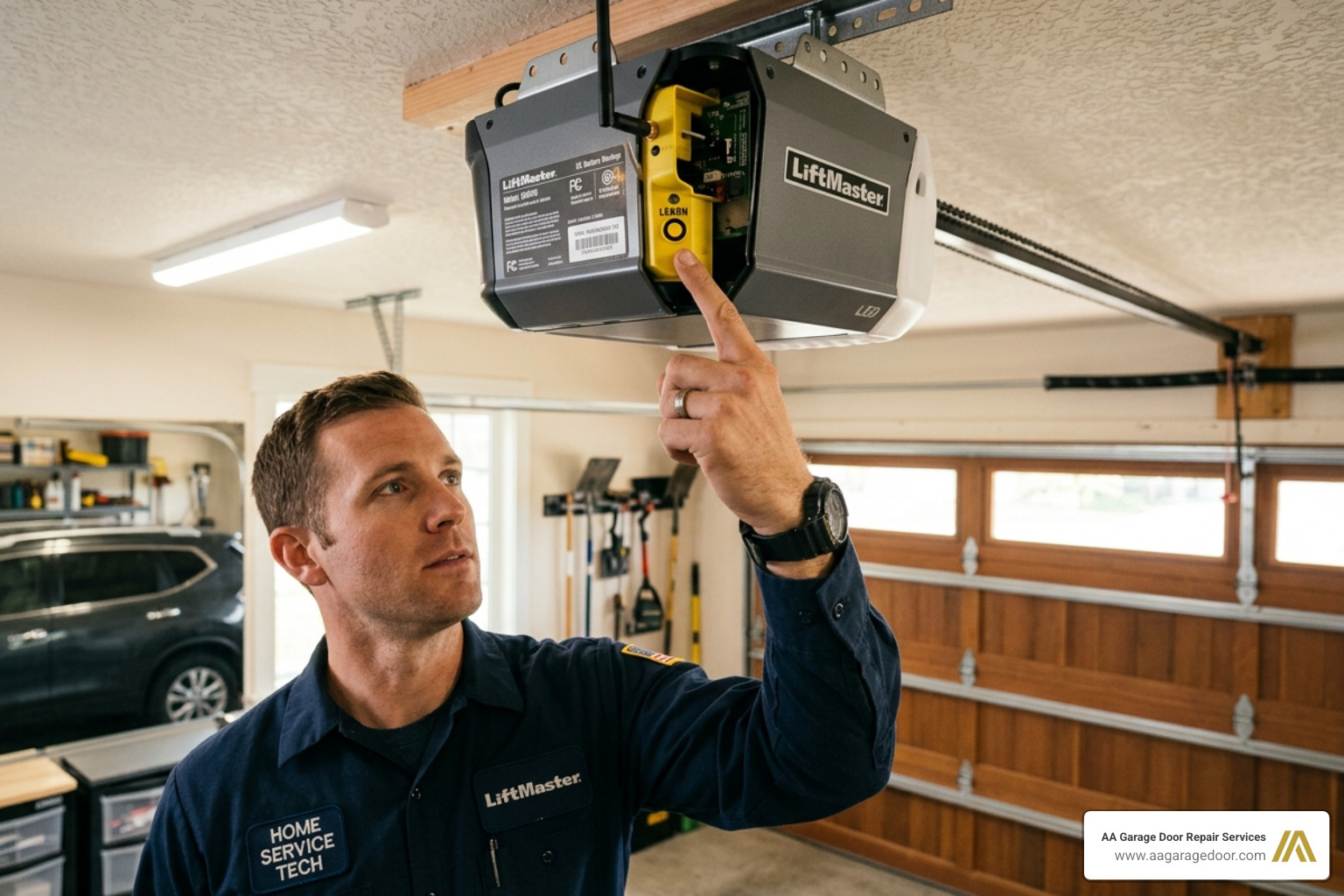
The most critical part of garage door opener keypad instructions is knowing what you’re working with. Look at the motor unit hanging from your ceiling. There is usually a manufacturer label on the side or under the light cover. This label tells you the brand (Genie, LiftMaster, etc.) and the frequency (typically 315MHz or 390MHz).
The “Learn” button is your gateway to programming. Its color is a secret code in the industry:
- Yellow: Security+ 2.0 (310/315/390 MHz)
- Purple: Security+ (315 MHz)
- Red/Orange: Security+ (390 MHz)
- Green: Billion Code (390 MHz)
Check out our Garage Door Keypad Complete Guide for a deeper dive into these specifications.
Clearing Existing Codes for Security
If you’ve lost a remote or just moved into a new place in Hudson, we highly recommend clearing the existing memory. This wipes out all old remotes and keypads, giving you a clean slate. To do this, press and hold the Learn button on the motor unit for about 6 seconds. The LED indicator will glow and then turn off. Once it’s off, all previous codes are gone. You will need to reprogram your hand-held remotes after doing this. For more on this, see our guide on how to reprogram garage door opener.
Programming Major Brands: Genie and Overhead Door
Genie and Overhead Door use a proprietary technology called CodeDodger. These systems are incredibly secure but require a specific sequence of button presses that differ slightly from the LiftMaster/Chamberlain family.
Step-by-Step Genie Garage Door Opener Keypad Instructions
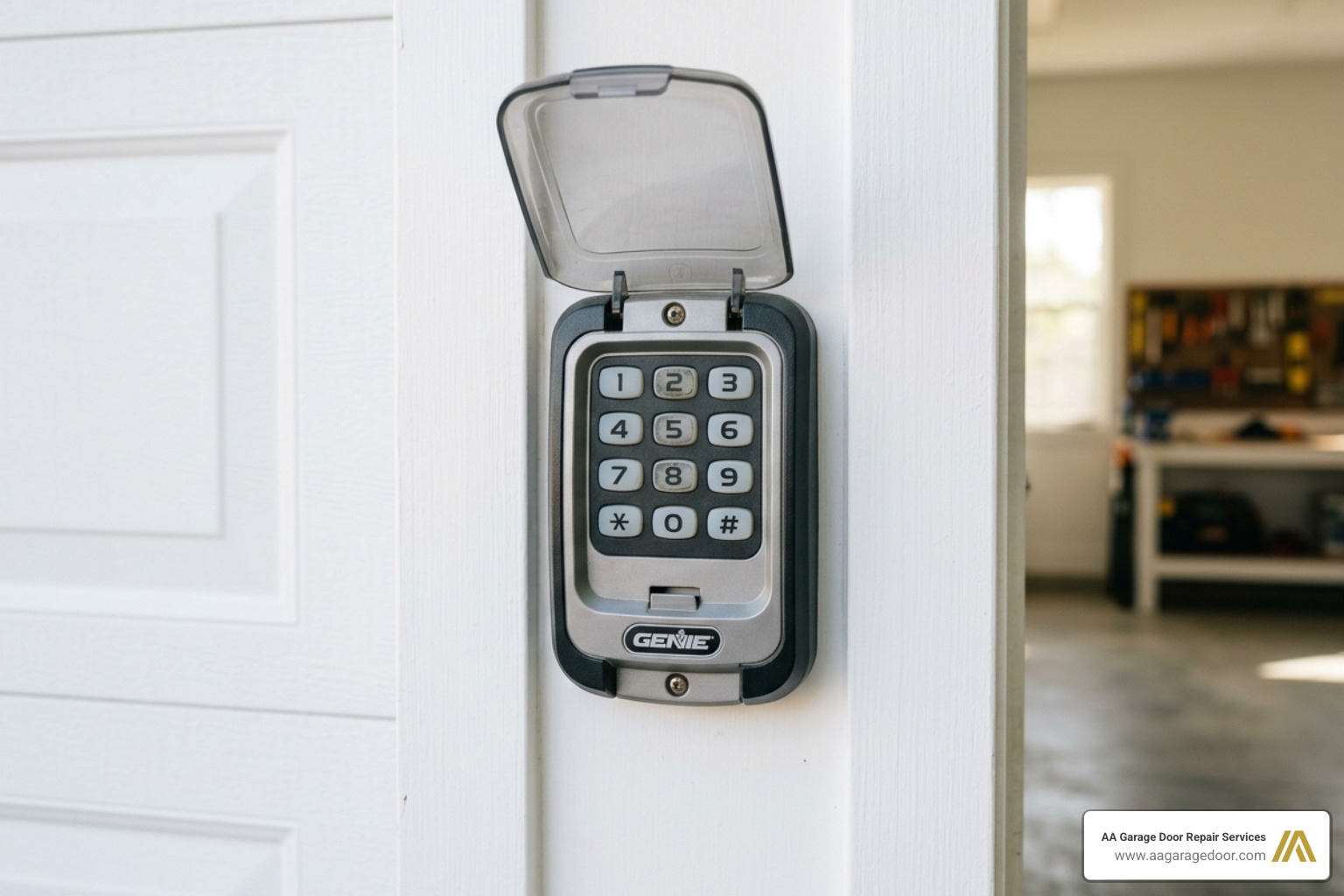
For current Genie models like the GK Wireless or the Universal Wireless keypad, follow these steps:
- Initial Sequence: Open the keypad cover and wait for the backlight to turn off (if it was on).
- PIN Creation: Press the keys 3-5-7 in sequence, then press the “Program” key.
- Enter PIN: Enter your chosen 3 to 8-digit PIN, then press “Program.”
- Sync with Opener: On your Genie motor unit, press and hold the Program button until the round LED turns blue. Release it, then press it again until the long LED flashes purple.
- Finalize: On the keypad, enter your new PIN and press the “Up/Down” button 3 or 4 times until the door moves.
For a visual walkthrough, you can watch this Garage Door Opener Keypad Programming Video. You can also find more details in our Garage Door Keypad Programming article.
Overhead Door OKP-BX and OWK-BX Setup
The Overhead Door OKP-BX is a staple in many Twin Cities homes. It supports multi-door programming and uses the CodeDodger 2 system.
- PIN Setup: Press 3-5-7, then “Program.” Enter your PIN and press “Program” again. Close the cover and wait 30 seconds.
- Pairing: Press the Learn Code button on the opener power head. You have 30 seconds to enter your PIN on the keypad and press the “Up/Down” button twice.
- Timeout: If you take longer than 30 seconds, the light on the motor will go out, and you’ll have to start the pairing step over.
For more brand-specific tips, refer to our Garage Keypad Programming Guide.
Setting Up Universal Keypads: LiftMaster, Chamberlain, and Sears
Universal keypads are a lifesaver when you have an older motor or a mix of brands. Models like the KLIK2U, 878MAX, or 387LM are designed to “talk” to almost any opener made after 1993.
| Learn Button Color | Opener ID | Frequency/Technology |
|---|---|---|
| Yellow | 1 | Security+ 2.0 |
| Purple | 2 | 315 MHz Security+ |
| Red/Orange | 3 | 390 MHz Security+ |
| Green | 4 | 390 MHz Billion Code |
Universal Garage Door Opener Keypad Instructions for Multiple Brands
To program a universal keypad like the KLIK2U:
- Enter Program Mode: Press the * and # keys at the same time until the keypad lights stop flashing.
- Set PIN and ID: Enter a 4-digit PIN followed by the # key. Then, enter the Opener ID from the table above and press # again.
- Learn: Press the Learn button on your garage door motor.
- Finish: Enter your PIN on the keypad and press the 0 key. (Note: For Genie/Overhead Door, you may need to press 0 twice).
For specific details on the 878MAX, refer to the LiftMaster 878MAX User’s Guide. We also have a dedicated post on how to program universal garage door keypad systems.
Programming for DIP Switch Openers
If your opener is older (pre-1993) and uses small switches (DIP switches) instead of a Learn button, you’ll need a keypad like the 387LM. You must match the sequence of switches on the keypad to those inside the motor unit. Detailed steps can be found in the 114A3495 387LM & 387LMC Instructions.
Advanced Features: Temporary PINs and Multi-Door Control
One of the coolest things about modern keypads is the ability to give out “keys” that expire. This is perfect for service personnel, dog walkers, or out-of-town guests visiting you in St. Paul.
Setting Up Temporary PINs for Visitors
On models like the LiftMaster 878MAX, you can set a temporary PIN based on a number of hours (up to 255) or a number of uses.
- Enter your existing PIN, then press and hold the * key until the light blinks.
- Enter the temporary 4-digit PIN, then press “Enter.”
- To set a hour limit, enter the number of hours followed by *. To set a use limit, enter the number of uses followed by #.
The code will automatically deactivate once the limit is reached. This is a great alternative to changing the garage door opener code every time someone visits.
Controlling Multiple Garage Doors with One Keypad
If you have a two-car or three-car garage, you don’t need three keypads.
- On an Overhead Door OKP-BX: Enter your PIN, press “Program” three times, enter the number of doors (2 or 3), and press “Program” again.
- You then sync each door one by one with the motor units. Each door is assigned a number (1, 2, or 3), and you’ll enter [PIN] + [Door Number] to operate them.
Check out our Ultimate Program Universal Garage Door Keypad Guide for more advanced configuration tips.
Troubleshooting, Mounting, and Maintenance
Sometimes, despite following the garage door opener keypad instructions perfectly, things don’t work. Don’t throw the keypad across the driveway just yet!
Common Troubleshooting Steps for Keypad Issues
- Rapid Blinking: This usually means the PIN was entered incorrectly or the programming mode timed out. Wait for the light to stop blinking before trying again.
- Battery Issues: If the backlight is dim or the door only opens when you’re standing inches away, replace the battery. Most use a 9V or two AAA batteries. Replacing the battery does not erase your PIN.
- Corroded Contacts: If you live in a high-humidity area or near the river in St. Paul, check for white crusty buildup on the battery terminals. Clean them with a cotton swab and a bit of vinegar.
- Signal Range: Metal siding can sometimes interfere with the signal. Ensure the keypad is mounted on a wooden or plastic trim piece if possible.
See our Garage Keypad Reprogram Guide for more troubleshooting help.
Safe Mounting and Security Tips
- Height: Mount the keypad at least 5 feet above the ground. This keeps it out of the reach of small children and ensures it’s at a comfortable eye level for adults.
- Installation: Drill 1/16-inch pilot holes to prevent the wood trim from splitting. Leave a 1/8-inch gap for the top screw so the keypad can hook on securely.
- Security: Avoid obvious PINs like 1-2-3-4, your house number, or your birthday. Change your code every 6-12 months to keep your home secure. For more security advice, read our Garage Door Opener Codes Complete Guide.
Frequently Asked Questions about Keypad Programming
What should I do if my keypad LED blinks rapidly?
Rapid blinking typically indicates an incorrect PIN entry or a programming timeout; wait for the blinking to stop before re-entering the code or restarting the Learn process. Also, ensure you aren’t pressing the buttons too fast; a deliberate, firm press is best.
How do I reset my keypad if I forgot the PIN?
For most models like the Overhead Door OKP-BX, hold the Program and Up/Down buttons simultaneously for 5 seconds to clear the memory and start fresh. On universal models, you may need to clear the memory on the motor unit itself by holding the Learn button for 6 seconds.
Can one keypad control different brands of openers?
Yes, universal keypads like the KLIK2U or 878MAX can control multiple brands, provided each door is programmed using its specific manufacturer ID and Learn button sequence. This is very common in homes where one opener has been replaced while the other is an older model.
Conclusion
At AA Garage Door Repair Services, we’ve been the Twin Cities’ trusted choice for garage door solutions since 2001. Whether you’re in St. Paul, Baldwin, or Woodbury, we understand that a malfunctioning keypad is a major inconvenience. We pride ourselves on fast, reliable 24/7 emergency service and transparent pricing.
If these garage door opener keypad instructions didn’t solve your problem, or if you’d rather have a professional handle the installation and security setup, we are here to help. Our technicians are experts in all major brands and can ensure your system is operating safely and efficiently with a full satisfaction guarantee.
Need help now? Visit our Garage Door Repair Near Me Apple Valley page to schedule a service call. We’ll get your garage back in working order in no time!