Why Knowing How to Set a Garage Door Code Matters for Your Home Security
How to set a garage door code is simpler than most homeowners expect — and it usually takes less than five minutes. For most openers, the correct process is straightforward: press the Learn button, enter a new PIN, confirm it, and test the keypad. For more expert garage door help and local service information, visit the garage door repair and opener specialists.
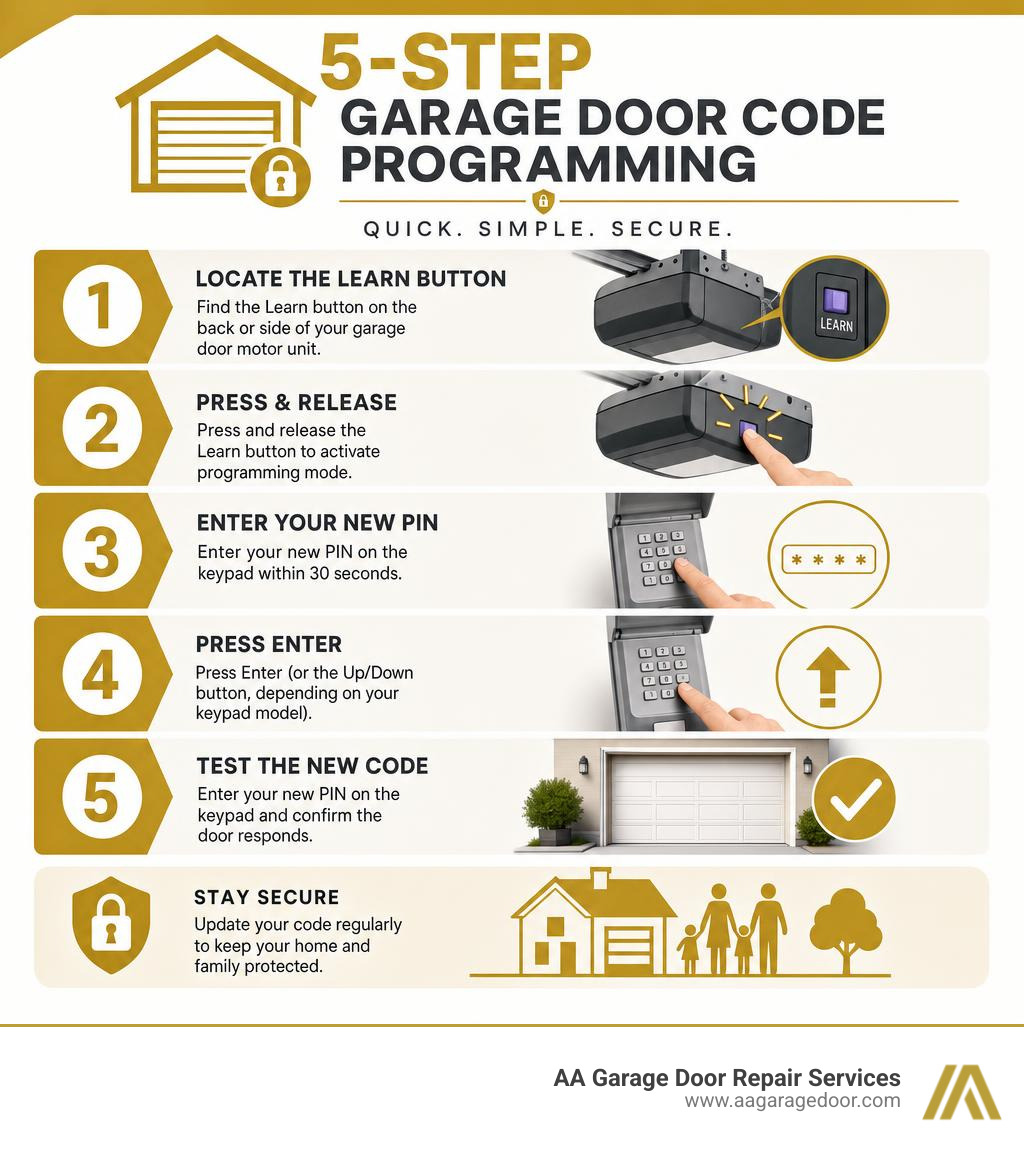
Here’s the quick answer:
- Locate the Learn button on the back or side of your garage door motor unit.
- Press and release the Learn button to activate programming mode.
- Enter your new PIN on the keypad within 30 seconds.
- Press Enter (or the Up/Down button, depending on your keypad model).
- Test the new code by entering it on the keypad and confirming the door responds.
That is the standard programming method used by most major brands, including LiftMaster, Chamberlain, Genie, and Craftsman.
Most homeowners set a code once and forget about it. But whether you’ve just moved into a new home, shared access with someone who no longer needs it, or simply want to tighten up your home security, knowing how to update your garage door code is one of the most practical things you can do. Over 70% of homeowners consider keyless entry essential, and regularly changing your code can reduce the risk of unauthorized access.
If you’re experiencing issues beyond just reprogramming — like a malfunctioning opener or damaged hardware — our garage door opener services can help you get everything working properly.
I’m David Sands, owner of AA Garage Door LLC, and with over 23 years of hands-on experience helping homeowners across Wisconsin and Minnesota how to set a garage door code correctly and securely, I’ve seen every common mistake — and how to avoid them. In this guide, I’ll walk you through everything you need, from the basic five-step process to brand-specific tips and troubleshooting.
If you are looking for trusted assistance with your home’s entry points, our team provides reliable garage door repair in St. Paul and across the surrounding Twin Cities metro area.
Understanding Garage Door Opener Security Technologies (Rolling vs Fixed vs Smart)
Before you grab your ladder and start pressing buttons, it is highly beneficial to understand what kind of technology is running your garage door system. Garage door openers communicate via radio frequency (RF) signals. Over the years, this technology has evolved dramatically to protect homes from tech-savvy intruders.
Every garage door opener uses one of three communication methods:
1. Fixed Code Systems (DIP Switches)
If your garage door opener was manufactured before 1993, it likely uses a fixed-code system. These systems rely on physical DIP switches (tiny sliding switches) inside both the remote control and the overhead motor unit.
Because these switches transmit the exact same static radio frequency signal every single time you press the button, they are highly vulnerable to “code-grabbing” devices. If an intruder intercepts your signal, they can easily replicate it and open your door. For security reasons, ANSI/DASMA standards phased out these systems in the mid-1990s. If you still have one of these older units, we strongly recommend upgrading to a modern system to protect your home.
2. Rolling Code Technology
Over 90% of modern garage door openers in use today utilize rolling code security systems. Introduced in the mid-1990s (such as LiftMaster’s Security+ and Genie’s Intellicode), this technology generates a brand-new, encrypted access code from billions of possibilities every single time the door is operated.
Because the code changes automatically after every single use, intercepting the signal is completely useless to an intruder. To learn more about how these rolling codes sync up with your entry pad, check out our Garage Door Opener Codes Complete Guide.
3. Smart Wi-Fi Enabled Systems
The latest evolution in garage door security is smart technology integration, such as Chamberlain’s myQ-enabled systems. These smart openers connect directly to your home’s Wi-Fi network. Instead of relying solely on physical keypads and remotes, you can monitor, open, close, and program your garage door directly from your smartphone.
Smart systems allow you to track real-time activity, receive alerts when the door is left open, and generate custom temporary access codes for delivery drivers, dog walkers, or guests. For a deep dive into modern configurations, you can read more about How to Set a Garage Door Code | 5 Easy Steps (2026).
How to Set Garage Door Code: The Universal 5-Step Guide
Regardless of the brand of your opener, the process for setting or changing your code follows a highly consistent framework. This universal guide will work for approximately 95% of residential garage door systems.
Step 1: Locate the ‘Learn’ Button
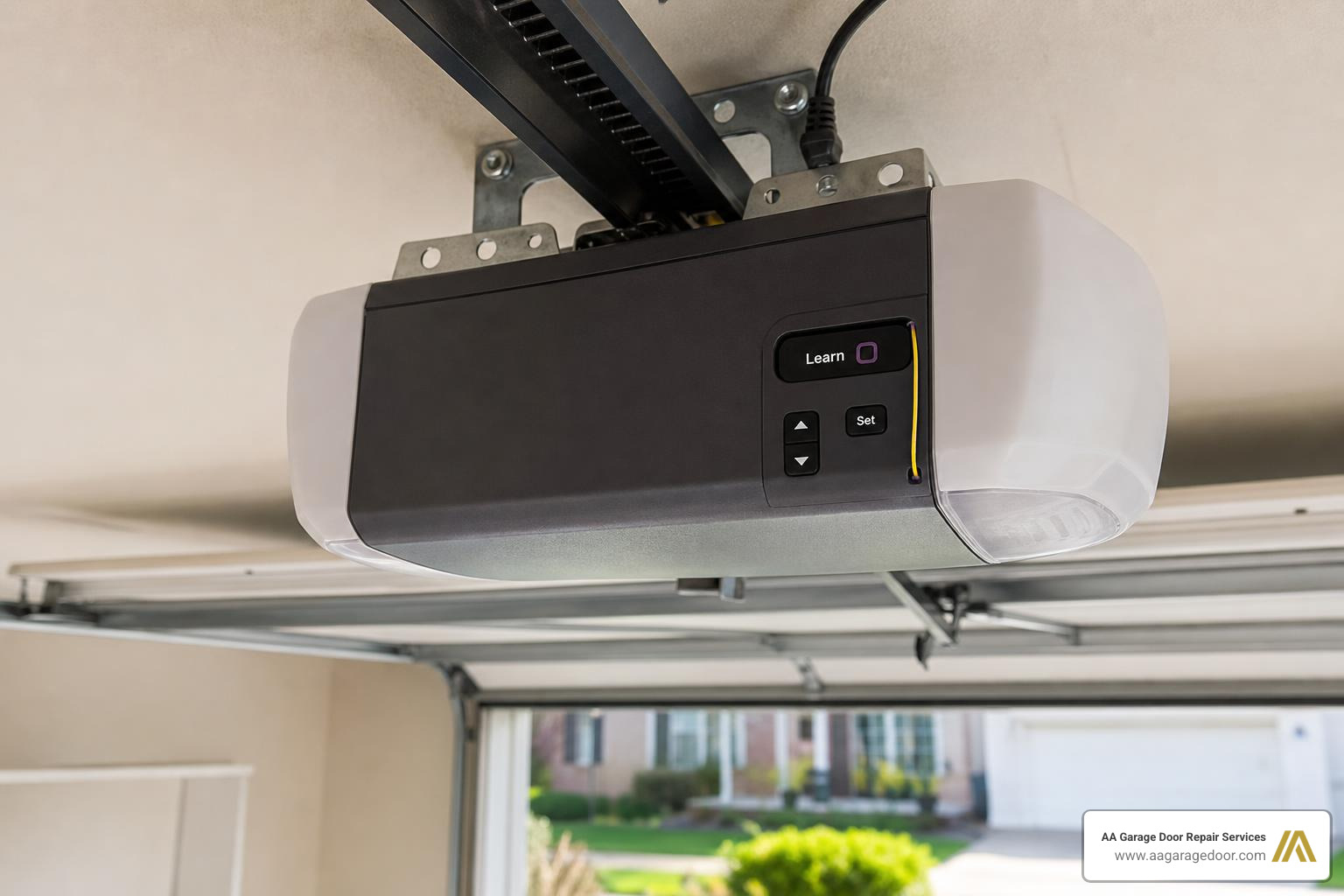
Place a sturdy ladder under your garage door opener motor unit. Carefully climb up and locate the “Learn” (sometimes labeled “Program”) button on the back or side of the motor. It is typically positioned near the hanging antenna wire. Depending on your brand, this button might be hidden behind a protective light lens cover that you will need to swing open.
Step 2: Clear Existing Memory (Optional but Recommended)
If you have recently moved into a new home in Woodbury, MN, or Hudson, WI, or if you have lost a remote control, it is highly recommended to erase the system’s memory first. To do this, press and hold the Learn button for approximately 6 seconds. The indicator light next to the button will glow and then turn off. Once the light turns off, all previous remote controls and keypad codes are completely erased.
Step 3: Activate Programming Mode
Press and immediately release the Learn button. Do not hold it down this time, as holding it will trigger the erase cycle. Once pressed, the indicator LED light will light up steadily. This indicates that the receiver is now in programming mode and the 30-second window has begun.
Step 4: Enter the New Code
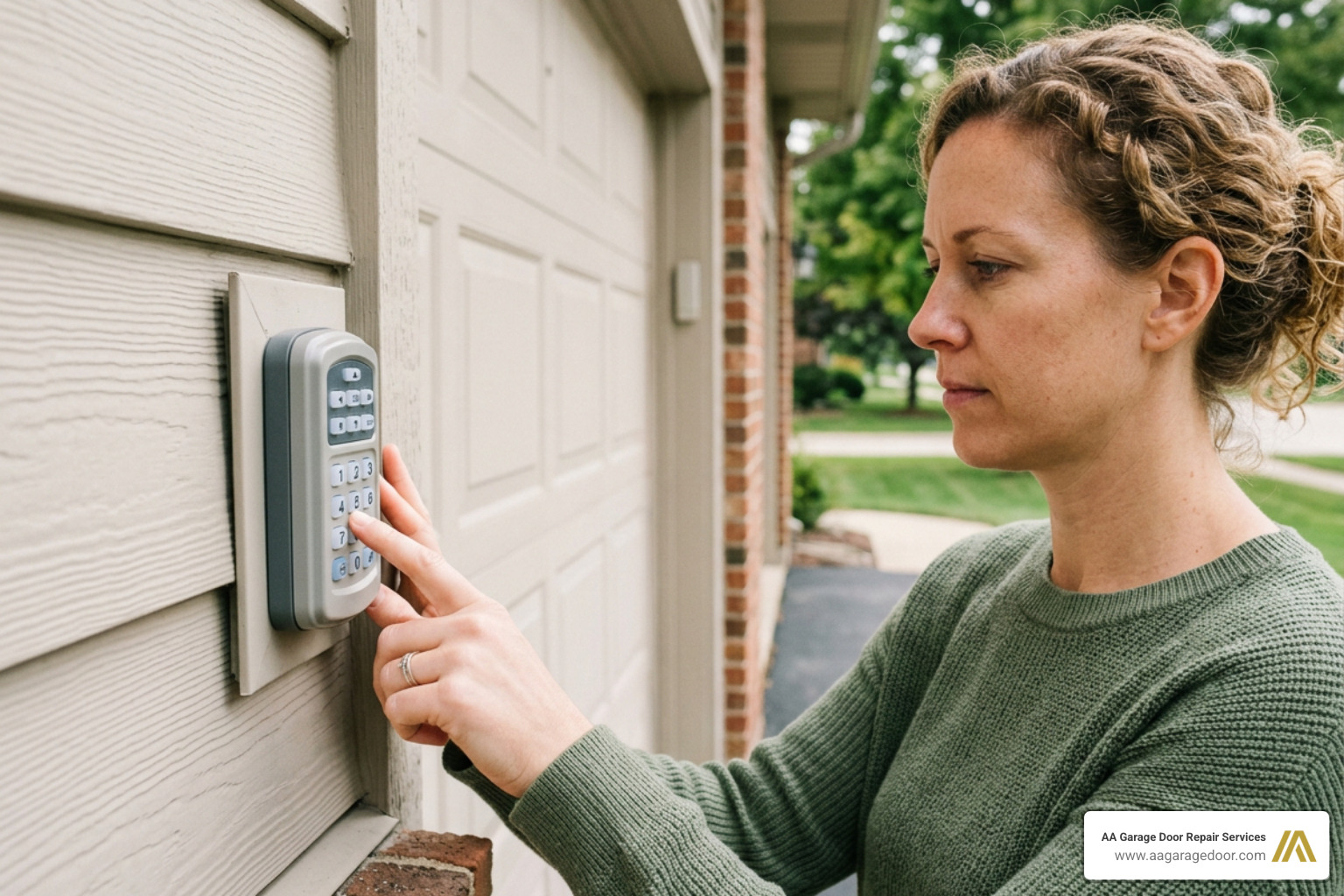
Quickly walk to your exterior wireless keypad. Within the 30-second programming window, enter your chosen 4-digit PIN code. Once entered, press and hold the Enter button (or the Up/Down button on Genie systems) until you see the light bulbs on the overhead motor unit flash twice or hear a distinct clicking sound. This is the system confirming that it has successfully paired with your new code.
Step 5: Test the Code
Wait approximately 10 seconds for the programming mode to fully close. Enter your new PIN on the keypad and press Enter. The garage door should smoothly open or close. If the door does not move, or if the keypad LED blinks rapidly, the programming has failed, and you will need to repeat the steps.
To help you visualize the differences between the major brands, here is a quick reference table:
| Opener Brand | Learn Button Color/Type | Keypad Confirm Button | Confirmation Signal |
|---|---|---|---|
| LiftMaster / Chamberlain | Yellow, Purple, Red, or Orange | ENTER | Overhead lights flash or click |
| Genie | Square grey button or Program button | UP/DOWN | Keypad backlight flashes or motor clicks |
| Craftsman | Red, Orange, or Green | ENTER | Overhead lights flash twice |
| Overhead Door | Program/Set button | UP/DOWN or PROGRAM | LED blinks green |
For more detailed keypad setup instructions, refer to our comprehensive guide on how to Set Up Garage Door Keypad or read the How to Change Your Garage Door Code Step by Step | Armadillo resource.
Programming and Managing Keypad PINs
Wireless keypads are a staple of modern convenience, especially during our freezing Minnesota and Wisconsin winters when the last thing you want to do is fumble around in the snow looking for a physical key.
To ensure optimal performance and security, keep these best practices in mind:
- Mounting Height: Always mount your wireless keypad at least 5 feet above the ground. This keeps it safely out of reach of curious young children and clear of any moving garage door parts.
- Battery Power: Wireless keypads run on standard 9-volt or AA batteries. If your keypad becomes unresponsive, has dim backlighting, or requires multiple button presses to work, replacing the battery should be your very first troubleshooting step.
- Weather Maintenance: Cold weather can drain battery life rapidly. We recommend replacing your keypad batteries annually every autumn to prevent getting locked out in the middle of a blizzard.
For a complete overview of keypad ownership, check out our Garage Door Keypad Complete Guide.
How to Set Garage Door Code for Guests with Temporary PINs
One of the most useful features of modern keypads is the ability to program a temporary or guest PIN. This is perfect for house sitters, contractors, or delivery personnel, allowing them access to your garage without you having to share your permanent family code.
To program a temporary PIN on a standard Chamberlain or LiftMaster keypad:
- Enter your permanent 4-digit PIN, then press and hold the * key until the light bulb on the opener flashes three times.
- Enter your desired temporary 4-digit PIN, then press the ENTER key. The opener light will flash four times.
- To set a time limit (in hours), enter the number of hours (up to 255), then press the * key.
- To set a usage limit (number of openings), enter the number of times the code can be used (up to 255), then press the # key.
Once the set hours or usage limits are reached, the temporary PIN will automatically delete itself from the system’s memory. For more tips on managing temporary access codes, see our Change Code Garage Door Keypad Guide.
How to Set Garage Door Code on Different Keypad Brands
While the general concept is the same, programming steps can vary slightly depending on whether you are using a brand-specific keypad or a universal model.
- Genie / Overhead Door (Intellicode): These systems often require you to enter a default code (like 3-5-7) and press the PROGRAM button before you can input your custom PIN. You then sync the keypad to the motor using the square “Program/Set” button on the opener power head.
- Universal Keypads: Universal keypads are designed to work with multiple brands. During setup, you will typically need to enter a specific brand ID code (found in the manual) so the keypad knows what radio frequency and encryption style to transmit.
If you are working with a universal keypad, our Universal Garage Door Keypad Complete Manual provides step-by-step instructions for every major manufacturer.
Troubleshooting and Resetting Your System
Sometimes, despite your best efforts, programming doesn’t go quite as planned. If you find yourself locked out or unable to sync your keypad, don’t panic.
Here are the most common issues and how to solve them:
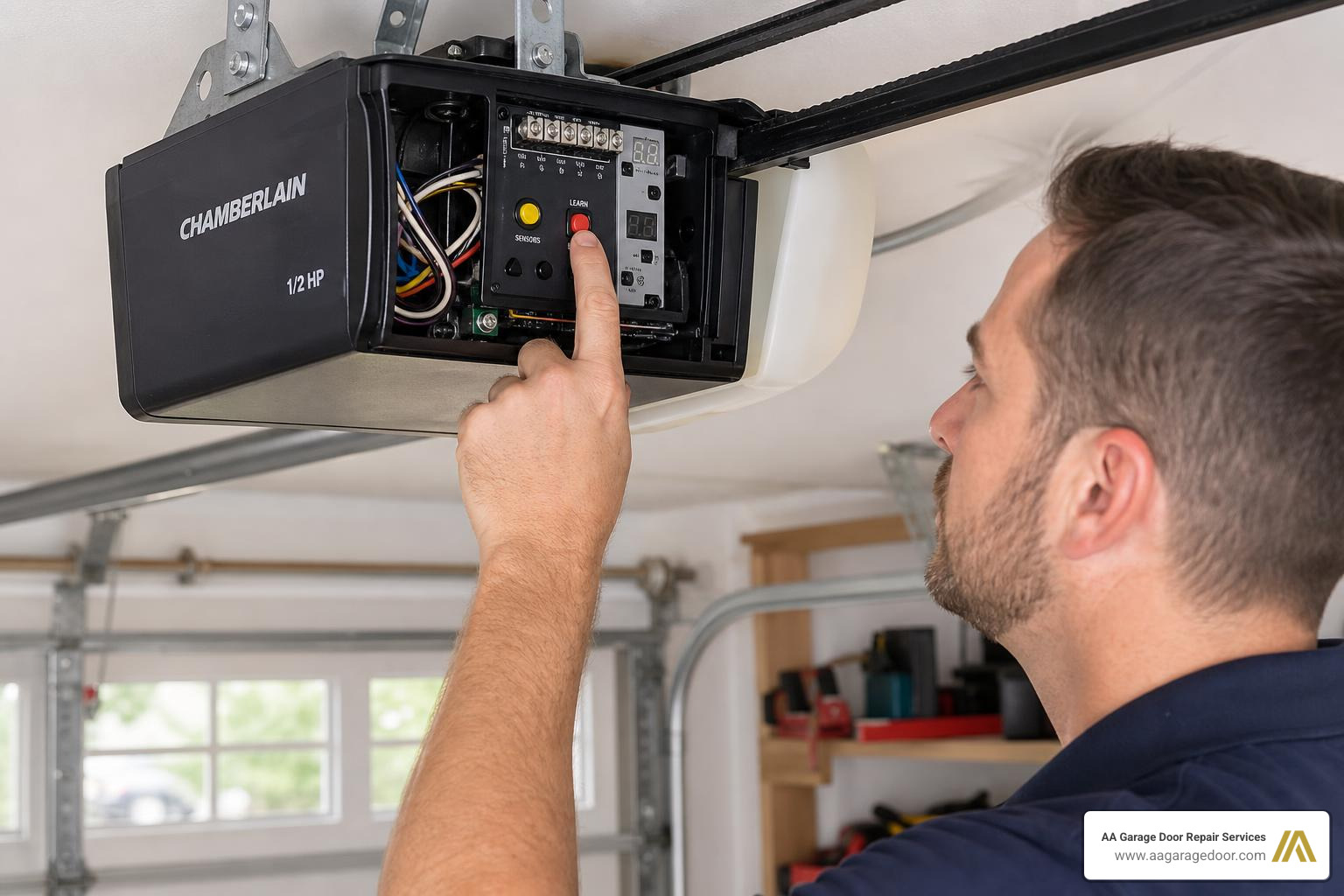
- The 30-Second Window Expired: The most common mistake is taking too long to walk from the ladder to the exterior keypad. If you don’t enter the code within 30 seconds of pressing the Learn button, the opener will exit programming mode. Simply press the button again and move a bit faster!
- Signal Interference: Nearby electronics, LED light bulbs inside the opener itself, or even physical obstructions can interfere with the radio frequency signal. If you are having trouble programming, try temporarily removing the light bulbs from the opener unit to see if that resolves the issue.
- Exceeded Memory Capacity: Older garage door openers can only hold a limited number of remote controls and keypads (often limited to 5 or 10 devices). If the memory is full, the unit will refuse to accept new codes. You will need to perform a full system reset by holding the Learn button down for 6 seconds to clear the memory, and then reprogram your devices one by one.
- Dead Keypad Battery: If the keypad lights do not blink or illuminate when you press the buttons, replace the battery.
If you need to perform a complete system wipe and start fresh, follow our step-by-step Universal Garage Door Keypad Reset Guide. If you’ve tried these steps and your keypad remains completely unresponsive, residents in Woodbury can easily contact AA Garage Door LLC to have a professional technician inspect the receiver logic board.
Frequently Asked Questions about Garage Door Codes
How do I locate the ‘Learn’ button on my opener?
The Learn button is located on the main motor unit hanging from your garage ceiling. Look for the side where the floppy antenna wire hangs down. The button is usually located right next to this antenna. On many LiftMaster and Chamberlain models, you may need to gently pull down the plastic light cover to reveal the control panel.
The color of the button (Yellow, Purple, Red/Orange, or Green) is highly important because it indicates the specific radio frequency and security version your system uses.
How often should I change my garage door code?
We recommend updating your garage door code at least once a year as part of your standard home maintenance routine. You should also change the code immediately if:
- You move into a new home.
- A roommate, tenant, or service provider who had the code moves out or no longer needs access.
- You lose a remote control or key fob.
- You suspect someone has unauthorized knowledge of your current code.
What safety precautions should I take when programming?
Physical safety should always be your top priority when working around garage doors:
- Use a Stable Ladder: Always use a high-quality A-frame ladder with rubber feet. Set it on a flat, clean concrete floor. Never stand on the top rung of the ladder, and have a second person steady the ladder if your ceilings are exceptionally high.
- Keep Clear of Moving Parts: Keep your hands, hair, and clothing clear of the garage door tracks, springs, and trolley while programming. The door may move unexpectedly during the testing phase.
- Ensure Proper Clearance: Maintain at least 12 inches of overhead clearance from the ceiling and tracks while working on the motor unit.
Conclusion
Setting and maintaining your garage door code is a fast, highly effective way to keep your home, family, and belongings secure. The standard process is simple: locate the Learn button, activate programming mode, enter a new PIN, confirm it, and test the keypad. Modern rolling code and smart garage door systems make secure access more reliable, more convenient, and harder to compromise than older fixed-code systems.
However, if your keypad is physically damaged, your opener’s logic board is failing to hold a program, or you simply prefer to have an expert handle the setup, our team at AA Garage Door Repair Services is here to help. Since 2001, we have proudly served homeowners throughout St. Paul, the Twin Cities metro area, and Western Wisconsin with fast, reliable, and transparent service.
For expert garage door services or to schedule an appointment with one of our experienced local technicians, contact us today for professional garage door solutions you can trust!